
Questions to ask during a physical therapy EHR demo

Choosing the right electronic health record (EHR) software for your physical therapy practice is an important decision. From documenting evaluations and tracking patient progress to scheduling recurring visits and managing insurance claims, your EHR affects nearly every aspect of your daily workflow.
A software demonstration is an opportunity to see how well a system supports the needs of physical therapists. But a polished presentation doesn't always reveal how the software performs during a busy clinic day.
Before your demo, identify your practice's priorities and prepare questions that address the challenges PTs encounter. This checklist will help you evaluate physical therapy EHR features, compare vendors, and make a more informed decision.
Key takeaways
- Identify your practice's workflow challenges. Prioritize the documentation, scheduling, billing, and patient management features your PT practice needs most.
- Evaluate PT-specific capabilities. Look for customizable evaluation templates, functional outcome tracking, treatment plans, home exercise programs, and support for timed CPT codes.
- Ask vendors to demonstrate real workflows. Follow a patient visit from scheduling and documentation through billing and payment.
- Consider long-term value. Compare pricing, implementation, training, customer support, security, and scalability before choosing a physical therapy EHR.
→ Download My Free EHR (+practice management software) Buyer’s Guide for Therapists
Step 1: Identify the pain points in your physical therapy workflow
Before scheduling an EHR demonstration, identify the challenges your practice currently faces.
Physical therapists may spend considerable time documenting treatment sessions, tracking functional outcomes, managing recurring appointments, and reviewing insurance requirements. An EHR that doesn't support these workflows can create unnecessary administrative work.
Ask your clinicians and administrative staff which tasks take the most time or cause the greatest frustration.
For example:
- Are therapists repeatedly entering the same information into daily treatment notes?
- Is it difficult to track patient progress toward functional goals?
- Can staff easily monitor insurance authorizations and remaining visits?
- Does the billing workflow support timed CPT codes and therapy modifiers?
- Can patients access home exercise programs and complete intake forms electronically?
- Does scheduling accommodate recurring appointments and multiple clinicians or locations?
Use the feedback to create a list of must-have and nice-to-have features.
Then ask vendors to demonstrate how their software addresses your highest-priority needs.
Streamline your practice with One EHR
- Scheduling
- Flexible notes
- Template library
- Billing & payments
- Insurance claims
- Client portal
- Telehealth
- E-fax

Step 2: Prepare your physical therapy EHR demo questions
An effective EHR demonstration should show how the software works in practice, not simply describe its features.
Organize your questions around the following areas.
Documentation and templates
Physical therapy documentation often includes initial evaluations, daily treatment notes, progress reports, reevaluations, and discharge summaries.
Ask the vendor:
- What PT-specific documentation templates are available?
- Can we customize evaluation, SOAP note, progress note, and discharge templates?
- Can therapists document range of motion, strength, gait, balance, and functional mobility?
- Can patient information and treatment goals carry forward between visits?
- Can customized templates be shared among clinicians or clinic locations?
- Can we create reusable phrases or documentation shortcuts?
- How are completed notes reviewed, signed, and stored?
What to test: Ask the vendor to create a daily treatment note for a patient receiving therapeutic exercise and neuromuscular reeducation. Observe how easily the therapist can record interventions, treatment minutes, patient response, and progress toward goals.
Practice Management + EHR + Telehealth
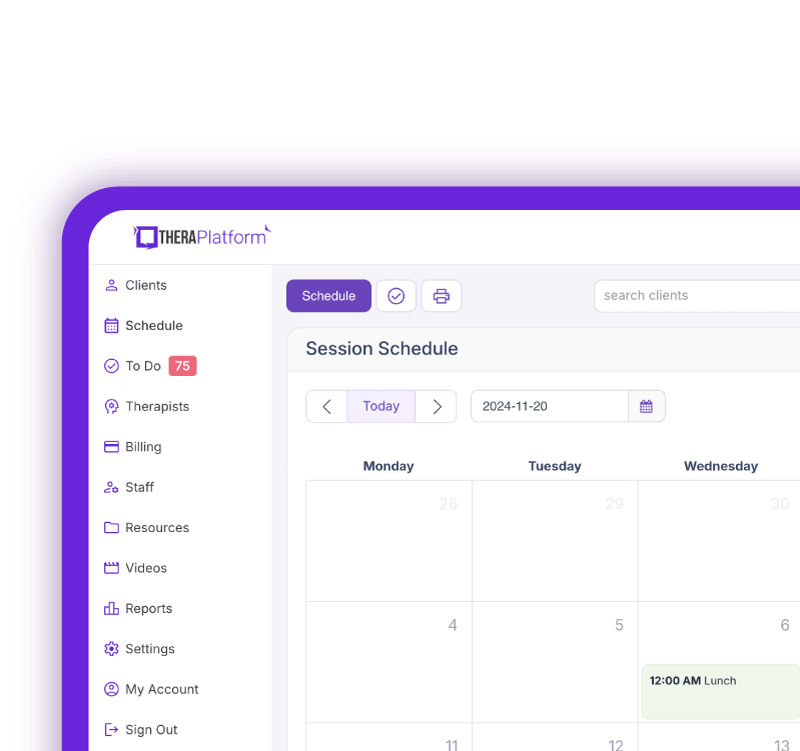
Manage more in less time in your practice with TheraPlatform
AI documentation
AI-assisted documentation may help physical therapists reduce time spent drafting treatment notes and other clinical records.
Ask:
- What AI documentation features are available?
- Can the AI generate draft notes from dictation, clinician-entered text, or supported session recordings?
- Can therapists review and edit AI-generated documentation before finalizing it?
- Does the system support PT-specific terminology and treatment documentation?
- What privacy, consent, and security controls apply?
- Are AI features included in the subscription or available as add-ons?
- Can the vendor demonstrate the features using a realistic PT session?
- What evidence supports claims about time savings or documentation accuracy?
What to test: Have the vendor demonstrate how a therapist could use AI to draft a treatment note describing gait training, therapeutic exercise, and the patient's response.
Confirm that the clinician retains responsibility for reviewing the final documentation.
Scheduling and patient management
Physical therapy practices frequently manage recurring appointments, multiple clinicians, and treatment plans involving several visits per week.
Ask:
- Can the EHR schedule recurring PT appointments?
- How easily can staff reschedule or cancel multiple visits?
- Can appointments be scheduled across different clinicians or clinic locations?
- Are automated email or text reminders available?
- Can patients request or schedule appointments online?
- Can patients complete intake forms and consent documents electronically?
- Can clinicians upload relevant patient records and media?
- Can the system track cancellations and missed appointments?
What to test: Schedule a patient for twice-weekly physical therapy appointments over six weeks, then reschedule one visit and cancel another.
Free Resources for Therapists
Click below and help yourself to peer-created resources:

Treatment plans, goals, and functional outcomes
Tracking functional improvement is a central part of physical therapy.
Ask:
- Can therapists create individualized plans of care with measurable functional goals?
- Do goals carry forward into subsequent treatment notes?
- Can the EHR track changes in range of motion, strength, balance, and functional mobility?
- Can clinicians document standardized outcome measures such as the Oswestry Disability Index, Lower Extremity Functional Scale (LEFS), or Neck Disability Index?
- Can the system display progress over time?
- Can patients complete outcome questionnaires before appointments?
- Does the EHR support home exercise programs or integration with exercise prescription tools?
- Can therapists customize exercises and track patient adherence?
What to test: Ask the vendor to demonstrate how a PT documents an initial functional limitation, establishes a measurable goal, and tracks progress across several visits.
Insurance billing and payments
Physical therapy billing often involves timed services, therapy modifiers, insurance authorizations, and payer-specific requirements.
Ask:
- Does the EHR support commonly used PT CPT codes, including 97110, 97112, 97116, and 97530?
- Can clinicians record treatment minutes and review billable units?
- Does the system support applicable therapy modifiers, including GP?
- Can staff track insurance eligibility, authorizations, and remaining approved visits?
- How are completed appointments connected to billing charges?
- Can claims be submitted electronically?
- Are claim validation tools available before submission?
- Can staff track rejected, denied, pending, and paid claims?
- Does the EHR support electronic remittance advice (ERA) and payment posting?
- Can patients pay online, or can payment methods be securely stored?
What to test: Ask the vendor to demonstrate billing for a PT session involving therapeutic exercise and gait training, including the documentation, treatment minutes, applicable units, modifiers, and claim submission.
The therapist and billing staff should still verify coding and unit calculations against applicable payer rules.
Telehealth
Telehealth may be useful for appropriate PT follow-up visits, patient education, exercise instruction, and other services when clinically suitable and permitted by applicable requirements.
Ask:
- Is telehealth integrated into the EHR?
- What HIPAA-related safeguards are in place?
- Can therapists share exercise demonstrations, educational materials, and their screens?
- Can clinicians document during virtual appointments?
- Can patients join sessions without installing complicated software?
- Are group sessions supported?
- Can clinicians use drawing or annotation tools during sessions?
- Are AI documentation tools available during telehealth appointments?
- Can the system support the documentation and billing requirements of virtual PT services?
What to test: Launch a virtual PT follow-up appointment, share a home exercise resource, and document the session.
Reporting and analytics
PT practices need reports that help them monitor clinical operations and financial performance.
Ask:
- Can the EHR report on completed visits, cancellations, and no-shows?
- Can managers review clinician productivity and appointment utilization?
- Are outstanding claims and accounts receivable reports available?
- Can reports be filtered by clinician, location, payer, or date?
- Can the practice track authorization usage?
- Can reports be exported?
- Can access to financial and clinical reports be restricted by staff role?
Security and HIPAA compliance
Protecting patient health information is essential.
Ask:
- What safeguards support HIPAA compliance?
- Is a business associate agreement (BAA) available?
- Does the system provide role-based access controls?
- Are audit logs available?
- How are patient records encrypted and backed up?
- What security protections apply to telehealth and AI documentation?
- How are security incidents reported and managed?
Data migration
Switching EHR systems can affect patient records, schedules, and billing workflows.
Ask:
- Which patient records can be migrated from our existing EHR?
- Can treatment plans, clinical notes, diagnoses, and appointment histories be transferred?
- What billing and insurance information can be imported?
- What information requires manual entry?
- How long does migration typically take?
- What support is available during the transition?
Implementation, training, and customer support
Ask:
- What training is available for physical therapists and administrative staff?
- Can the vendor provide training on PT documentation and billing workflows?
- Are live demonstrations, tutorials, and help resources available?
- What support hours are offered?
- How are technical issues handled?
- Is additional training available when new features are introduced?
Pricing
Ask:
- What features are included in the base subscription?
- Are billing, telehealth, AI documentation, and other features additional purchases?
- Are there setup, migration, or training fees?
- Are electronic claims and eligibility checks charged separately?
- Are there minimum contract requirements?
- How does pricing change when adding clinicians or locations?
Physical therapy EHR demo checklist: What to test
Use the following table to evaluate whether a vendor can demonstrate the workflows most relevant to your practice.
PT workflow | What to ask the vendor to demonstrate | What to evaluate |
|---|---|---|
Initial evaluation | Create a PT evaluation documenting functional limitations, objective findings, and treatment goals. | Template flexibility, ease of documentation, and goal tracking. |
Daily treatment note | Document therapeutic exercise, gait training, and treatment minutes. | Note efficiency, CPT code selection, and timed-unit review. |
Progress tracking | Show changes in range of motion, strength, or functional outcome scores over several visits. | Ability to track and display measurable progress. |
Plan of care | Create a treatment plan and carry goals into subsequent visits. | Continuity between evaluations, treatment notes, and progress reports. |
Recurring scheduling | Schedule multiple weekly PT appointments and modify one visit. | Ease of scheduling, reminders, and cancellation management. |
Insurance billing | Create, submit, and track a claim using PT CPT codes and applicable modifiers. | Integration, claim validation, authorization tracking, and payment posting. |
Home exercise programs | Create or share a home exercise program, if supported. | Customization, patient access, and adherence tracking. |
Telehealth | Launch a virtual PT visit and share an exercise demonstration. | Ease of use, interactive tools, documentation, and security. |
Step 3: Put the physical therapy EHR to the test
Before choosing a new EHR, ask vendors to demonstrate realistic situations from your practice.
For example, consider a patient receiving outpatient physical therapy following a knee injury.
During the demonstration, ask the vendor to:
- Schedule the patient for recurring PT appointments.
- Create an initial evaluation documenting functional limitations and measurable goals.
- Document a follow-up visit involving therapeutic exercise and neuromuscular reeducation.
- Track treatment minutes and review billable units.
- Update the patient's progress toward functional goals.
- Create and submit an insurance claim.
- Track the claim through payment posting and any remaining patient balance.
This process can reveal how effectively the EHR connects clinical documentation, scheduling, and billing.
It also helps identify steps that require duplicate entry or manual work.
Step 4: Watch for EHR demo red flags
A demonstration can reveal potential problems before your practice commits to a new system.
Watch for these warning signs:
- The vendor cannot demonstrate PT-specific documentation or treatment workflows.
- Common tasks require excessive manual entry.
- The EHR cannot easily track functional goals or outcome measures.
- Billing tools do not adequately support timed CPT codes, therapy modifiers, or authorization tracking.
- Scheduling recurring appointments is complicated.
- Important features require unexpected additional fees.
- The vendor cannot clearly explain security safeguards or data migration.
- Customer support and training options are limited.
- The system cannot accommodate additional clinicians or locations as your practice grows.
If a concern arises, ask the vendor to demonstrate a solution rather than relying solely on a verbal explanation.
Step 5: Consider a free trial
After a successful demonstration, a free trial can help you determine whether the software fits your practice's daily workflow.
Invite clinicians and administrative staff to test the features they use most frequently, including documentation, scheduling, billing, and reporting.
For example, TheraPlatform offers an EHR and practice management platform for therapists, with integrated scheduling, documentation, billing, and telehealth tools.
Practices can explore the software through a 30-day free trial.
Choosing the right EHR for your physical therapy practice
The best physical therapy EHR should support your clinical workflow while reducing unnecessary administrative work.
Look for software that accommodates PT documentation, measurable treatment goals, recurring appointments, insurance billing, and the needs of your clinicians and administrative staff.
Most importantly, use the EHR demonstration to test real-world scenarios. Seeing how a system handles a complete PT visit can help you make a more informed decision before committing to a new platform.
Streamline your practice with One EHR
- Scheduling
- Flexible notes
- Template library
- Billing & payments
- Insurance claims
- Client portal
- Telehealth
- E-fax
Resources for physical therapists
TheraPlatform is an all-in-one EHR, practice management, and teletherapy software with AI-powered notes built for therapists to help them save time on admin tasks. It offers a 30-day risk-free trial with no credit card required and supports different industries and sizes of practices, including physical therapists in group and solo practices.
More resources
- Therapy resources and worksheets
- Therapy private practice courses
- Ultimate teletherapy ebook
- The Ultimate Insurance Billing Guide for Therapists
- The Ultimate Guide to Starting a Private Therapy Practice
- Insurance billing 101
- Practice management tools
Free video classes
- Free on-demand insurance billing for therapist course
- Free mini video lessons to enhance your private practice
- 9 Admin tasks to automate in your private practice
FAQs about a physical therapy EHR demo
What should physical therapists look for during an EHR demo?
Physical therapists should evaluate documentation templates, functional outcome tracking, treatment plans, recurring scheduling, insurance billing, telehealth, and reporting. Ask vendors to demonstrate realistic PT workflows rather than simply describing features.
Can a physical therapy EHR help with timed CPT codes and insurance billing?
Yes. Some PT EHRs help track treatment minutes, review billable units, manage therapy modifiers, and submit electronic claims. Clinicians and billing staff must still verify coding and payer requirements.
How can I tell whether an EHR is right for my physical therapy practice?
Test common workflows, including evaluations, treatment notes, progress tracking, scheduling, and claims submission. Compare ease of use, available features, pricing, customer support, and scalability before making a decision.