Speech therapy billing software: What SLP practices should look for

Choosing the right speech therapy billing software can make a big difference in how efficiently your practice runs. From client invoicing and insurance claims to payment collection and financial reporting, the right tools can help speech-language pathologists (SLPs) spend less time on administrative tasks.
But not all billing software is created equal. Some solutions focus on basic billing tasks, while others integrate with electronic health record (EHR) systems to connect billing, scheduling, documentation, and practice management.
So, what should SLP practices look for? Let's explore the essential features and considerations when choosing speech therapy billing software.
Key takeaways
- SLP practices have specialized billing needs, including therapy-specific coding, recurring services, multiple payers, and authorization limits.
- Integrated billing can connect scheduling, documentation, claims, and payments, reducing duplicate data entry across separate systems.
- Look beyond invoicing. Strong billing software should support claims, authorizations, ERAs/EOBs, payment collection, outstanding balances, and reporting.
- Test the complete revenue cycle before choosing a system, including appointment → documentation → claim → payment workflows.
Streamline your practice with One EHR
- Scheduling
- Flexible notes
- Template library
- Billing & payments
- Insurance claims
- Client portal
- Telehealth
- E-fax

What is speech therapy billing software?
Speech therapy billing software helps speech-language pathology (SLP) practices manage financial tasks, including client invoicing, payment collection, insurance claims, payment posting, and outstanding balances. It supports billing for recurring therapy sessions, speech and language evaluations, and other services provided by SLPs.
Basic billing tools are often limited to simply sending out invoices. A robust speech therapy solution, on the other hand, can connect financial workflows to clinical operations. The result? Seamlessly bridging the gap between patient scheduling, clinical documentation, and reimbursement.
Speech therapy billing software vs. an EHR: What's the difference?
Standalone billing software focuses on creating claims, clearinghouse submission, and posting payments. This can be useful for practices that prefer separate clinical systems.
However, it typically requires manual entry of client demographics, appointment dates, and treatment codes. Not only does this mean the SLP is required to spend more time on administrative tasks, but it also opens the door to potential human error.
An EHR with integrated billing includes billing tools directly within the platform, connecting financial workflows with scheduling, clinical documentation, and other practice management functions. For example, appointment details and treatment codes can help populate insurance claims, while completed sessions can be used to generate client invoices or superbills for out-of-network reimbursement. This integration can reduce duplicate data entry and administrative work.
Practice Management + EHR + Telehealth
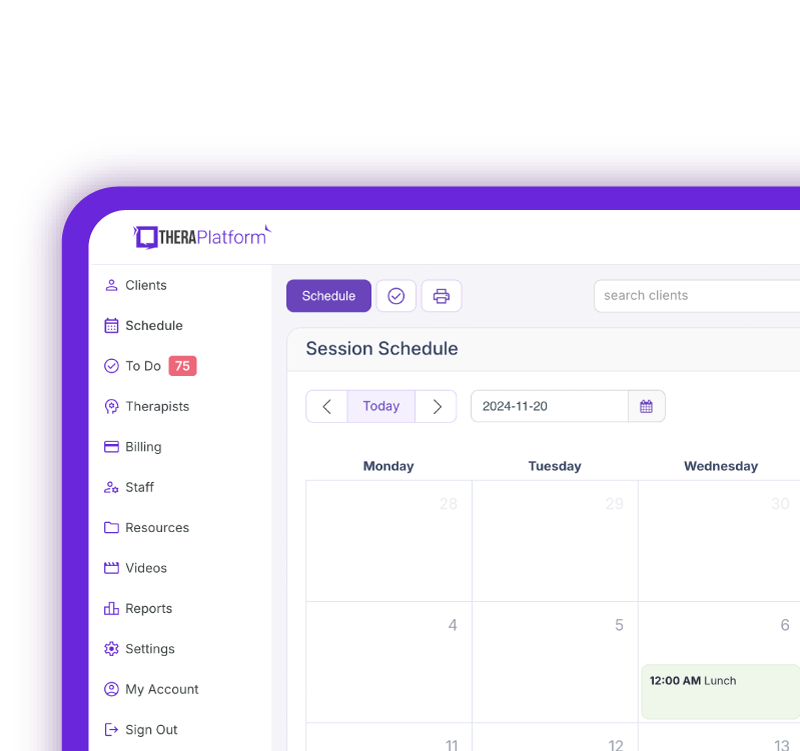
Manage more in less time in your practice with TheraPlatform
Why speech therapy practices have unique billing needs
Speech therapy practices often manage recurring treatment sessions, specialized evaluation and treatment codes, and different payment arrangements. These create unique billing considerations that SLPs should account for when choosing software:
- Different payment arrangements: SLP practices may serve private-pay clients, accept commercial insurance or Medicaid, and provide services through school or agency contracts. Each arrangement can involve different invoicing, claims, and payment tracking requirements.
- Speech therapy-specific coding: Billing for SLP services, including speech and language evaluations, speech sound disorders, aphasia, voice disorders, swallowing disorders, and augmentative and alternative communication (AAC) services, requires appropriate CPT and ICD-10 codes. Coding and reimbursement requirements may vary by service type and payer.
- Recurring visits and authorization limits: Many clients attend speech therapy weekly or multiple times per week. When insurance requires prior authorization, practices need to monitor approved visits, expiration dates, and remaining sessions to avoid reimbursement problems.
Essential speech therapy billing software features
Speech therapy billing software should support everyday financial tasks, whether a practice accepts insurance, serves private-pay clients, or both. Key features include:
- Client invoicing and payments: Software should generate invoices, accept payments, and clearly show how much the client owes, including charges for speech and language evaluations, recurring therapy sessions, copays, and other out-of-pocket expenses. It should also help practices track payments and outstanding balances.
- Superbills: Detailed statements containing service, provider, diagnosis, and payment information allow clients to request out-of-network insurance reimbursement.
- Auto-pay and credit cards on file: By securely maintaining a payment method on file, recurring therapy payments can be collected more easily. Auto-pay reduces or eliminates the need to collect payments manually following each visit.
- Payment reminders: Automated reminders allow families to receive notifications regarding unpaid invoices without the need for staff or contacting clients individually.
- Outstanding balances: Dashboards that intuitively display outstanding client balances (across 30-, 60- and 90-day aging buckets) ensures no unpaid invoice falls through the cracks.
- Billing reports: Robust reporting tools clearly outline payments, unpaid balances, billed services, and overall financial activity.
- Billing automation: Automated billing tools include invoice generation, charging cards, claims creation and submission, or posting electronic remittance advice (ERA) payments.
TheraPlatform supports automated invoicing, payment reminders, auto-pay, claim submission, ERA/EOB management, and billing reports within its comprehensive EHR system.
Speech therapy billing software features checklist
Feature | What SLP practices should look for | Why it matters for SLPs |
|---|---|---|
Claims management | Electronic claim creation and submission, claim status tracking, and rejection management | Supports recurring claims for speech therapy evaluations and treatment sessions across different insurance payers. |
CPT and ICD-10 workflows | Support for SLP-related CPT and ICD-10 codes, applicable modifiers, and payer-specific requirements | SLPs bill for services involving speech, language, aphasia, voice, swallowing, and AAC, each with relevant coding considerations. |
Authorization tracking | Tracking of authorized visits, approval periods, expiration dates, and remaining sessions | Helps practices manage coverage limits for clients attending weekly or multiple therapy sessions per week. |
Insurance eligibility | Eligibility verification, payer information, and access to available benefit details | Helps staff review insurance information before services are provided and identify when additional coverage verification is needed. |
ERAs/EOBs and payment posting | Electronic remittance processing, payment posting, and tracking client responsibility | Helps practices reconcile insurance payments and determine outstanding client balances after claims are processed. |
Client payments | Invoicing, credit cards on file, auto-pay, and payment reminders | Simplifies payment collection for recurring speech therapy visits, copays, and private-pay services. |
Superbills | Creation of superbills with provider, service, diagnosis, and payment information | Allows private-pay clients to submit documentation to their insurers when seeking out-of-network reimbursement. |
Outstanding balances | Unpaid invoice tracking and aging reports | Helps practices identify overdue balances and follow up on unpaid therapy sessions. |
Billing reports | Reports on claims, payments, outstanding balances, and revenue by clinician | Helps solo and group SLP practices monitor financial performance and identify billing trends. |
Look for billing workflows designed for therapy practices
SLP practices benefit from systems that address the complexity of healthcare reimbursement, supporting:
- CPT and ICD-10 information
- Therapy-specific modifiers
- Multiple payers
- Recurring services
- Copays, deductibles, and coinsurance
- Insurance authorizations
Because payer requirements vary, practices need to verify coding, coverage, and billing requirements with individual payers.
Free Resources for Therapists
Click below and help yourself to peer-created resources:

How integrated billing can reduce administrative work
Scheduling to billing: Connecting scheduling and billing allows completed appointments to trigger the appropriate billing workflow. This eliminates the need for staff to redundantly input service information.
Documentation to claims: SLPs complete session documentation that includes the appropriate CPT and ICD-10 codes, which then automatically populate the claim form. Preventing coding mismatches avoids associated costs.
Insurance payments to client balances: After insurance processes a claim, staff can post payments and determine the remaining client responsibility through integrated billing.
Improved visibility helps avoid billing issues related to workflow problems. Clinicians and billing staff are able to identify problems earlier on, preventing the need to repeatedly correct them later on.
Billing features for solo vs. group SLP practices
Solo SLP practices: Simplicity, affordability, and time-saving automation are key. Solo owners can manage their own billing with features like client self-scheduling, integrated credit card processing, and straightforward claim generation.
Group SLP practices: Additional capabilities are needed, such as clinician-specific reporting, multiple provider profiles, customizable permissions, centralized claim management, and tools for billing staff. As clinicians and clients are added, software should be able to grow to scale.
Reporting features to look for in speech therapy billing software
Comprehensive financial reporting provides data-driven decision-making. These reports help identify patterns (e.g., repeated denials from a specific payer, growing unpaid client balances) before they have a significant impact on cash flow. Look for reports that include:
- Claims status
- Insurance and client payments
- Outstanding balances
- Services by clinicians
- Denials and rejections
A 2025 Health Affairs study found that 17% of initial Medicare Advantage claims were denied, and 57% of those denials were ultimately overturned. This shows how claim denials can create additional administrative work for practices, even when services may ultimately be payable.
Questions to ask when evaluating speech therapy billing software
Before choosing billing software, consider scheduling a demo to evaluate how well the system supports your practice's financial workflows. Key questions include:
- Does the software support both private-pay and insurance billing?
- Can invoices, superbills, and payment reminders be generated automatically?
- Does the software support secure credit card processing, cards on file, and auto-pay?
- Does billing integrate with scheduling, clinical documentation, and other EHR features?
- Can the software create and submit electronic insurance claims and track their status?
- What financial reports are available for payments, outstanding balances, and revenue?
- Can the system accommodate multiple clinicians and billing staff as the practice grows?
- What are the total costs, including subscription fees, payment processing, and any additional billing fees?
- What onboarding, training, and customer support are available?
Billing software red flags for SLP practices
When evaluating speech therapy billing software, watch for limitations that could increase administrative work or complicate financial management:
- Excessive manual data entry: Repeatedly entering appointment details, client information, or billing codes across different systems.
- Limited payment options: Lack of features such as online payments, credit cards on file, auto-pay, or superbills for private-pay clients.
- Unclear pricing: Hidden or unexpected charges for payment processing, insurance claims, additional users, or billing features.
- Limited billing automation: Few options to automate invoices, payment reminders, or recurring payment collection.
- Poor integration with EHR workflows: Disconnected scheduling, clinical documentation, and billing systems that require duplicate work.
- Limited financial reporting: Difficulty tracking outstanding balances, payments, or revenue across clinicians.
- Insufficient insurance billing capabilities: Limited claim tracking or support for the insurance billing requirements of the practice.
Choosing billing software for your speech therapy practice
The right speech therapy billing software should do more than generate invoices. It should simplify financial workflows, reduce administrative work, and support your practice as it grows.
Whether you manage a solo or group SLP practice, consider how well the software fits your billing needs, integrates with your existing workflows, and supports both private-pay and insurance-based services.
TheraPlatform brings billing, scheduling, clinical documentation, and practice management together in one platform, helping SLP practices spend less time on administrative tasks and more time serving clients.
Streamline your practice with One EHR
- Scheduling
- Flexible notes
- Template library
- Billing & payments
- Insurance claims
- Client portal
- Telehealth
- E-fax
Resources for speech therapists
TheraPlatform is an all-in-one EHR, practice management, and teletherapy software with AI-powered notes built for therapists to help them save time on admin tasks. It offers a 30-day risk-free trial with no credit card required and supports different industries and sizes of practices, including speech-language pathologists in group and solo practices.
More resources
- Therapy resources and worksheets
- Therapy private practice courses
- Ultimate teletherapy ebook
- The Ultimate Insurance Billing Guide for Therapists
- The Ultimate Guide to Starting a Private Therapy Practice
- Insurance billing 101
- Practice management tools
Free video classes
- Free on-demand insurance billing for therapist course
- Free mini video lessons to enhance your private practice
- 9 Admin tasks to automate in your private practice
References
Ayer, M. (2023). Relieving administrative burden on clinical staff with streamlined workflows and speech-recognition software. British Journal of Nursing, 32(Sup16b), S1-S9. DOI: https://www.magonlinelibrary.com/doi/abs/10.12968/bjon.2023.32.Sup16b.S4?journalCode=bjon
Crooks, A. (2022). What Do Insurers Look for in Your Claims? A claims and clinical reviewer offers insights for accurate and timely reimbursement of speech-language services. ASHA Leader, NA-NA.
FAQs about speech therapy billing software
What should SLPs look for in speech therapy billing software?
Look for claims management, authorization tracking, client payments, ERAs/EOBs, reporting and workflows that support therapy-specific billing needs.
Is standalone billing software or an integrated EHR better for an SLP practice?
Standalone software may work for simpler billing needs, while an EHR with integrated billing can connect scheduling, documentation and financial workflows and reduce duplicate data entry.
Why is authorization tracking important for speech therapy practices?
Insurance plans may limit therapy to a specific number of visits or authorization period, so tracking authorized sessions can help practices manage coverage requirements.