
Occupational therapy scheduling software

In the ever-evolving field of occupational therapy, demands on occupational therapists are increasing. Regardless of whether you are a solo practitioner, part of a multidisciplinary clinic, or running a private practice, administrative work requires time and effort that can pull you away from providing quality care.
Summary
- Administrative tasks like scheduling, reminders, and cancellations consume valuable time for occupational therapists—scheduling software reduces this burden and improves workflow efficiency.
- OT-specific scheduling platforms offer HIPAA-compliant communication, self-booking, recurring appointment tools, waitlists, telehealth integration, and EHR/billing connectivity that general scheduling apps cannot match.
- Automated reminders and calendar syncing help decrease no-shows, improve client independence, and create smoother, more predictable schedules for both therapists and families.
- With thoughtful implementation—clear onboarding, accurate availability setup, and workflow testing—OT practices often see improved efficiency and client satisfaction within weeks. Download my free task tracker worksheet.
Streamline your practice with One EHR
- Scheduling
- Flexible notes
- Template library
- Billing & payments
- Insurance claims
- Client portal
- Telehealth
- E-fax

Scheduling conflicts, no-shows, and manual reminders can eat into your time, energy, and productivity. Simple ways to control this include using scheduling software specifically designed for healthcare providers. Scheduling software can improve workflow efficiency, ensure a smoother, more predictable day for you and your clients, and reduce the overall mental load, allowing you to focus on delivering high-quality and client-centered care.
What is occupational therapy scheduling software?
Occupational therapy scheduling software is a digital tool that helps OTs manage appointments, coordinate care, and communicate with their clients more efficiently. This differs from general scheduling apps because these platforms are designed for healthcare and rehabilitation workflows.
They often serve as a foundation for administrative operations, automating reminders, tracking appointments and cancellations, supporting telehealth sessions, and enabling secure, HIPAA-compliant client communication. Many platforms also provide features such as recurring appointment scheduling, self-booking, waitlist management, and integration with electronic health records (EHRs) or billing systems, making it easier for therapists to streamline workflows.
Essential features to look for in occupational therapy scheduling software
When choosing the right software, focus on features that support and simplify your workload and improve overall client experiences.
- HIPAA compliance and secure data handling: Ensure encrypted storage, secure messaging, and data protection policies that meet HIPAA standards.
- Client self-scheduling with custom availability: Look for platforms that allow custom session types, control over available hours, and limits on advanced booking.
- Automated appointment reminders (Text and email): Features like automated reminders via email or SMS help clients remember appointments, reducing the likelihood of no-shows and last-minute cancellations.
- Calendar syncing (Google, etc.): A system that can sync with your main digital calendar to ensure there is no double booking, and you can see all your commitments in one place.
- Telehealth appointment integration: Look for scheduling software that automatically generates secure video links, sends them to clients, and logs attendance.
- Support for recurring appointments and care plans: Look for software that books recurring appointments, tracks attendance, and supports long-term care plans.
- Waitlists and cancellations management: Look for tools that automatically notify clients waiting for a time slot. This turns lost time into productive treatment hours.
- Multi-provider scheduling (for clinics or teams): Choose platforms with individual calendars, shared team views, clinic-wide reports, or room or equipment scheduling.
Practice Management + EHR + Telehealth
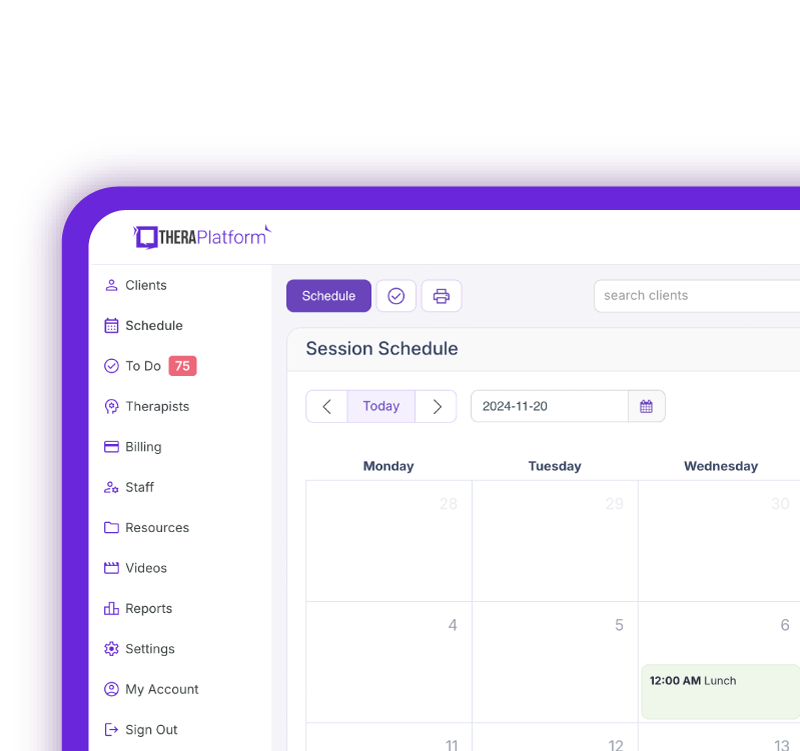
Manage more in less time in your practice with TheraPlatform
Benefits of occupational therapy scheduling software
Selecting the best occupational therapy scheduling software can help your practice’s workflow and client satisfaction.
Automating appointment management, reminders, and scheduling can significantly reduce administrative workload, freeing up time for direct care, documentation, or simply getting a break in between sessions.
Automated reminders and confirmations help minimize missed appointments, keep your caseload stable, and help clients stay on track with their treatment plan.
Occupational therapy scheduling software enhances the client experience and promotes independence through clear communication, easy booking, predictable reminders, and fewer barriers to care.
Specifically for pediatric OTs, this helps parents feel more organized and confident, while adult clients can benefit from self-scheduling options that encourage independence. Additionally, a streamlined scheduling process supports practice growth, whether you want to expand as a solo practitioner or are managing a multi-provider team.
Watch this video to simplify your scheduling
Choosing the right occupational therapy scheduling software
When evaluating scheduling platforms, consider your practice's unique needs. Solo OT practitioners may prefer a lightweight, budget-friendly platform that has essential features, while clinics or multi-provider practices often require more advanced capabilities, such as team calendars, payroll support, room scheduling, and multi-location management.
Budget and scalability are key factors. Look for software that fits your current practice level but can grow with your practice. Integrations with electronic health records (EHR), billing systems, and documentation tools can streamline workflows and reduce duplicate data entry, saving valuable time.
A user-friendly, intuitive interface and helpful onboarding ensure the software will be used effectively. Mobile access enhances the client experience, allowing clients to book, cancel, and confirm appointments easily without having to call or email, making your practice more client-friendly and more efficient.
Implementation tips for occupational therapy scheduling software
A great scheduling tool is only as effective as its setup, so proper implementation is key for a smooth transition.
Start by onboarding your team and clients with clear instructions or a quick video walk-through. Solo practitioners should notify clients about the new systems and highlight benefits such as automated reminders, easier booking, and fewer back-and-forth messages.
Next, set up your availability and custom session types, including hours, buffer times, session lengths, telehealth options, and evaluation slots.
Test reminder workflows and confirmations by sending yourself trial messages to ensure everything is accurate and professional.
Finally, track results by monitoring no-show rates, cancellation patterns, and save time on administrative tasks.
With thoughtful set-up, consistent monitoring, and minor adjustments as needed, most practices begin to notice improvements in efficiency, client management, and overall workflow within just a few weeks. This leads to more free time for direct care and enhances the quality of care and services you provide.
Streamline your practice with One EHR
- Scheduling
- Flexible notes
- Template library
- Billing & payments
- Insurance claims
- Client portal
- Telehealth
- E-fax
Resources for occupational therapists
TheraPlatform is an all-in-one EHR, practice management, and teletherapy software built with AI-powered notes for therapists to help them save time on admin tasks. It offers a 30-day risk-free trial with no credit card required and supports different industries and sizes of practices, including occupational therapists in group and solo practices.
More resources
- Therapy resources and worksheets
- Therapy private practice courses
- Ultimate teletherapy ebook
- The Ultimate Insurance Billing Guide for Therapists
- The Ultimate Guide to Starting a Private Therapy Practice
- Insurance billing 101
- Practice management tools
Free video classes
- Free on-demand insurance billing for therapist course
- Free mini video lessons to enhance your private practice
- 9 Admin tasks to automate in your private practice
References
The Ultimate Guide to Online Scheduling for Occupational Therapists. LinkedIn. (2025, April 24). https://www.linkedin.com/pulse/ultimate-guide-online-scheduling-occupational-therapists-rmelc
FAQs about occupational therapy scheduling software
What makes occupational therapy scheduling software different from general scheduling apps?
OT scheduling platforms are designed for healthcare workflows, offering HIPAA-compliant communication, recurring care plans, telehealth integration, and coordination across multiple providers.
How does scheduling software reduce no-shows?
Automated text and email reminders, confirmations, and synced digital calendars help clients remember appointments and reduce last-minute cancellations.
What features should OTs prioritize when choosing scheduling software?
HIPAA compliance, self-scheduling, automated reminders, telehealth integration, recurring appointments, waitlist tools, multi-provider scheduling, and EHR/billing integration.