
When is it time to switch your EHR? 10 signs your occupational therapy practice has outgrown its software

Is it time to switch your occupational therapy EHR software? If therapists spend extra time re-entering functional goals, checking authorized visits, and correcting charges while the front desk tracks cancellations in a spreadsheet, your practice may have outgrown its system.
As your caseload, team, and services expand, recurring workarounds can signal that your EHR no longer supports the way your OT practice operates.
Key takeaways
- Consider switching your occupational therapy EHR when recurring limitations disrupt care, delay billing, or create extra work that training and configuration changes cannot resolve.
- OT documentation should connect functional findings, measurable goals, skilled interventions, and progress in everyday activities without repeated data entry.
- Your occupational therapy EHR should support your practice’s authorization tracking, timed billing, recurring appointments, and OT/OTA documentation workflows.
- Before switching, confirm that the replacement addresses your specific problems, and review data migration, historical record access, training, and transition costs.
→ Download My Free EHR (+practice management software) Buyer’s Guide for Therapists
When should an OT practice consider switching EHRs?
An occasional extra click or unfamiliar feature does not necessarily justify switching systems. Training, template changes, or better configuration can resolve some frustrations.
Consider switching when recurring limitations delay documentation, cause billing errors, disrupt care, or take substantial staff time. Before deciding, ask your vendor whether existing features can address the problem.
If reasonable adjustments don't resolve it, these 10 signs can help you decide your next steps.
Recurring problem | What to test before switching |
|---|---|
OT findings are buried in free-text fields | Whether templates can organize functional findings and skilled interventions |
Progress reports require searching multiple notes | Whether baseline, current performance, and goals can be viewed together |
Authorizations are tracked separately | Whether the system can track the practice’s actual visit or unit limits |
10 signs your occupational therapy practice has outgrown its EHR
Rigid OT documentation
Generic templates may leave little room for an occupational profile, daily routines, or the activities clients want to perform more independently. OT notes also need to capture assistance or cueing levels and explain how skilled interventions support occupational performance, for example, how dressing practice helps a child put on a shirt with fewer verbal prompts. If clinicians routinely delete irrelevant fields or bury these details in one large text box, your EHR’s documentation tools may no longer meet your needs.
Streamline your practice with One EHR
- Scheduling
- Flexible notes
- Template library
- Billing & payments
- Insurance claims
- Client portal
- Telehealth
- E-fax

Poor functional goal tracking
Can your therapist quickly see whether a child needs less assistance with dressing or whether an adult’s improved range of motion supports meal preparation? AOTA emphasizes that “goals must be client-centered and measurable.”
When baseline findings, goals, and current measurements are scattered across notes, progress reporting requires unnecessary searching.
Your EHR should help clinicians compare dressing independence, grip strength, range of motion, handwriting performance, and other relevant outcomes over time. Measurements should remain connected to meaningful functional goals rather than appearing as isolated numbers.
Manual timed-unit billing
Therapists may provide therapeutic exercise (97110), therapeutic activities (97530), and self-care training (97535) during one visit. Translating those services into charges becomes harder when minutes and billing information live in separate workflows.
For Medicare, documented timed treatment minutes must support the units billed; scheduled appointment length alone is insufficient. Other payers may use different calculation rules.
Authorization tracking problems
A pediatric patient arrives for a recurring appointment, but the authorization expired yesterday. AOTA notes that “the growing complexity and inconsistency of authorization systems divert time and resources away from direct patient care.”
If your team relies on spreadsheets or sticky notes to prevent these situations, authorization management needs attention. Look for accessible approval dates, authorized services, visits, unit limits, and remaining balances. Alerts should give staff time to request renewals before scheduling or reimbursement is affected. Tracking must also reflect whether limits apply to visits, units, or shared services.
Practice Management + EHR + Telehealth
Manage more in less time in your practice with TheraPlatform
Recurring claim errors
Repeated missing modifiers, rejected claims, and denials deserve investigation. For example, the GO modifier identifies services delivered under an outpatient OT plan of care for Medicare; however, practices should verify requirements with each payer. If your team repeatedly corrects the same errors or struggles to reconcile payments, evaluate whether your EHR provides adequate claim checks and payment tracking.
Inflexible scheduling
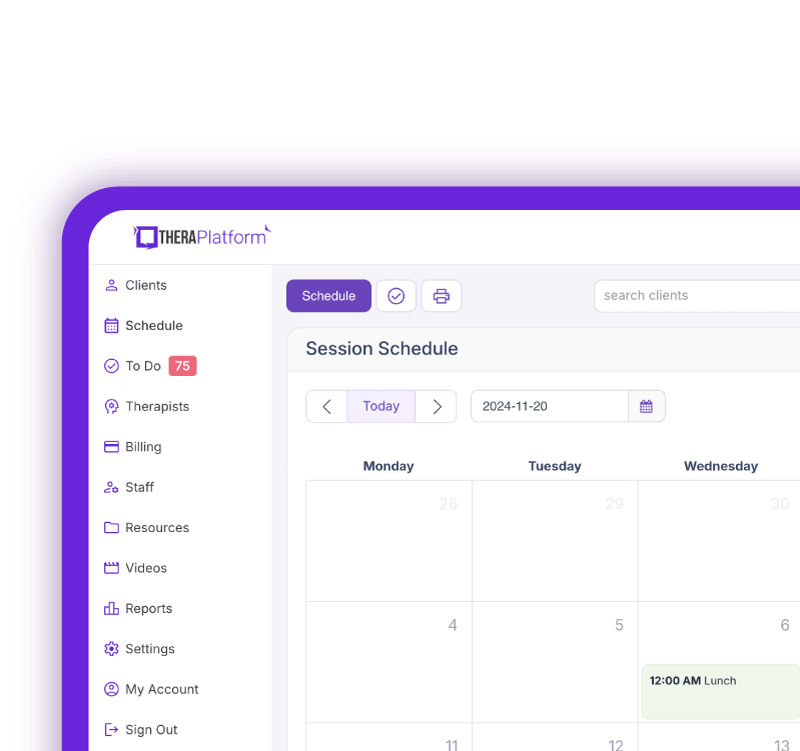
Recurring pediatric appointments, multiple clinicians, cancellations, and different locations can expose scheduling limitations quickly. If changing one appointment disrupts an entire series, or staff, cannot easily identify openings across clinicians, scheduling becomes a daily bottleneck.
Your scheduling system should make recurring visits, clinicians' availability, location assignments, and cancellations easy to manage. Clear scheduling information helps staff offer available appointments and communicate changes to families without maintaining a separate calendar.
Limited OT service delivery support
OT treatment may include caregiver education and home programs that extend practice beyond the session. For example, a therapist working on dressing independence may teach a caregiver how to use visual cues and adapt clothing fasteners. If the EHR makes it difficult to document that education, record the caregiver’s response, and connect the home program to the dressing goal, important information can become scattered. Evaluate whether the system keeps treatment, caregiver instruction, and home program updates accessible within the client’s record.
Repeated data entry across OT evaluations and treatment notes
Entering the same dressing goal separately in the evaluation, treatment plan, daily note, and progress report creates unnecessary work and opportunities for inconsistencies. Your EHR should make established goals and relevant baseline findings available where clinicians need them, while allowing updates to assistance levels, cueing, and current performance. If therapists repeatedly copy and paste between documents, evaluate whether the system can connect these workflows while preserving clinician review and preventing outdated information from carrying forward.
Free Resources for Therapists
Click below and help yourself to peer-created resources:

Insufficient reporting
How many authorizations are nearing their limits? Which claims remain unpaid? Where are documentation delays occurring? If answering routine questions requires exporting and combining several reports, your EHR may provide insufficient operational visibility. Useful reporting should help you review authorization utilization, outstanding claims, clinician productivity, and practice performance. Reports also need clear definitions so owners understand what each figure measures before making staffing or financial decisions.
Limited scalability
Adding occupational therapists, occupational therapy assistants (OTAs), supervisors, or locations introduces more complex documentation and access needs. Your EHR should support appropriate permissions and route notes for review, signatures, or co-signatures when required. Ask vendors to demonstrate how an OTA completes a treatment note, how the supervising OT reviews it, and how pending documentation is tracked. Confirm applicable review and signature requirements for your state, practice setting, and payers before evaluating whether the workflow meets your needs.
What to check before switching your OT EHR
Track your most persistent problems and their consequences, such as documentation time, delayed claims, missed authorizations, or disrupted appointments. Use those examples during EHR demonstrations. Before switching, confirm migration options, historical record access, training, and transition costs. The right replacement should address your practice’s documented needs and give your team more time to focus on patient care.
Streamline your practice with One EHR
- Scheduling
- Flexible notes
- Template library
- Billing & payments
- Insurance claims
- Client portal
- Telehealth
- E-fax
Resources for occupational therapists
TheraPlatform's occupational therapy EHR brings documentation, scheduling, private-pay and insurance billing, telehealth, and practice management tools into one platform, with optional AI-powered features built for therapists to help them save time on admin tasks.
It offers a 30-day risk-free trial with no credit card required and supports different industries and sizes of practices, including occupational therapists in group and solo practices.
More resources
- Therapy resources and worksheets
- Therapy private practice courses
- Ultimate teletherapy ebook
- The Ultimate Insurance Billing Guide for Therapists
- The Ultimate Guide to Starting a Private Therapy Practice
- Insurance billing 101
- Practice management tools
Free video classes
- Free on-demand insurance billing for therapists course
- Free mini video lessons to enhance your private practice
- 9 Admin tasks to automate in your private practice
References
- AOTA collaborates on framework to reform prior authorization. Aota.org. https://www.aota.org/advocacy/advocacy-news/2026/aota-collaborates-on-framework-to-reform-prior-authorization
- Maximizing your clinical documentation. Aota.org. https://www.aota.org/publications/ot-practice/ot-practice-issues/2025/maximizing-your-clinical-documentation
FAQs about when it’s time to switch occupational therapy EHRs
When should an OT practice switch EHRs?
Consider switching when recurring limitations delay OT documentation, cause billing errors, complicate authorization tracking, or disrupt scheduling—and reasonable training or configuration changes have not resolved them.
What should an OT practice check before migrating records?
Confirm which records can transfer, including evaluations, functional goals, treatment notes, attachments, and authorization details. Review migration costs, security, downtime, and access to historical records. Test a sample transfer to verify accuracy before completing the migration.
Can training or template changes resolve EHR problems?
Yes. Training, customized OT templates, and workflow adjustments may resolve inefficient documentation or overlooked features. Ask your vendor to demonstrate solutions using your practice’s actual workflows. If essential limitations persist, a replacement may be worth considering.