
Occupational therapy billing software: What OT practices should look for

Occupational therapy billing software is a tool that helps OT practices submit insurance claims, manage timed and untimed CPT codes, track authorizations, post payments, and monitor outstanding balances.
Billing software helps practices manage claims, payments, and outstanding balances, while an electronic health record (EHR) manages clinical information such as evaluations, treatment notes, and care plans.
Key takeaways
- OT billing software should support therapy-specific workflows, including timed and untimed services, CPT codes, modifiers, insurance authorizations, and recurring appointments.
- Essential billing features include electronic claims submission, eligibility verification, claim tracking, ERA payment posting, denial management, and client payments.
- Integrated EHR and billing software can reduce administrative work by connecting scheduling, clinical documentation, insurance claims, and payment records.
- The best billing software depends on your practice's needs. Solo OTs may prioritize affordability and simplicity, while group practices may need clinician-level reporting, staff permissions, and more advanced billing workflows.
→ Download My Free EHR (+practice management software) Buyer’s Guide for Therapists
Why occupational therapy practices have unique billing needs
Occupational therapy billing involves more than submitting claims for completed appointments. OTs may provide interventions addressing activities of daily living (ADLs), fine motor coordination, sensory processing, upper-extremity function, and other skills that support everyday participation.
These services may involve different CPT codes, timed treatment units, therapy modifiers, and payer-specific requirements. For example, an OT might provide therapeutic activities and self-care training during the same session, requiring accurate documentation of each distinct intervention and its treatment time.
Pediatric and outpatient OT practices may also manage recurring appointments, authorization limits, and multiple insurance plans. Billing software should help practices connect the services delivered with the codes, units, and supporting documentation needed for accurate claims.
Streamline your practice with One EHR
- Scheduling
- Flexible notes
- Template library
- Billing & payments
- Insurance claims
- Client portal
- Telehealth
- E-fax

Essential occupational therapy billing software features
Electronic claims submission
Look for electronic submissions through a clearinghouse, with support for your payers. Confirm whether payer enrollment, claim submissions, or other services involve additional fees.
Insurance eligibility verification
Look for tools that verify active insurance coverage and gather available benefit information. This includes copays, deductibles, and coinsurance. Occupational therapy staff should confirm therapy-specific limits and authorizations. Note that eligibility verification does not always guarantee payment.
Claims validation
Pre-submission checks should highlight missing information, invalid entries, and potential coding issues. Ask which are included and whether payer-specific edits are available.
Claim status tracking
You should be able to tell what claims have been submitted, accepted, rejected, pending, or paid. Note that just because a submission has been confirmed, it doesn’t mean that the payer accepted the claim.
ERA and payment posting
Look for software that supports electronic remittance advice (ERA), automatically posts insurance payments and adjustments when available, and updates client balances. Staff should be able to review and correct posting errors.
Denial and rejection management
Look for tools that identify rejected or denied claims, support corrections and appeals, and track follow-ups. For OT practices, this may include issues involving authorization limits, modifiers, or billed units.
Prior authorization tracking
Track authorization numbers, approved service types, visits, units, and expiration dates. Look for alerts that flag approaching authorization limits.
For example, a pediatric OT practice may schedule weekly sessions for a child receiving treatment for fine motor or sensory processing difficulties. If the insurer authorizes a limited number of visits or units, billing software with authorization tracking can help staff monitor remaining services and identify when additional authorization may be needed.
Client invoicing and payments
Look for itemized statements, online payments, and clear tracking of client balances after insurance processing. This is especially useful for OT practices managing recurring visits and family payments.
Auto-pay and credit cards on file
Secure card storage and optional auto-pay can simplify collections for recurring OT appointments. Confirm payment consent, processing fees, and refund options.
Practice Management + EHR + Telehealth
Manage more in less time in your practice with TheraPlatform
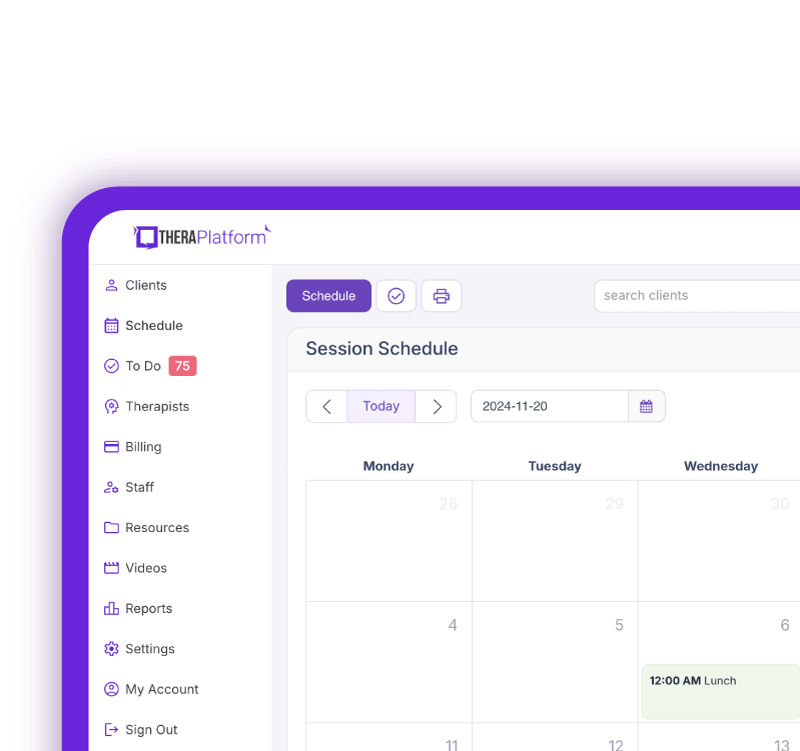
Look for billing workflows designed for occupational therapy practices
General billing platforms may overlook occupational therapy-specific requirements.
- CPT and ICD-10 Information: Look for accessible code information, diagnosis linking, and review, or units against documented services. According to AOTA, “accurate coding is essential to ensure appropriate reimbursement for occupational therapy services.”
- Therapy-specific modifiers: Look for software that supports modifiers such as GO and allows staff to review payer-specific requirements before submitting claims. AOTA states, “practitioners should confirm modifier requirements with the payer.”
- Multiple payers: Look for software that manages primary and secondary insurance, helps manage and coordinate benefits, and accommodates payer requirements.
- Recurring services: Look for recurring scheduling that excludes canceled or incomplete visits from billing.
- Copays, deductibles, and coinsurance: Choose software that tracks estimates for client responsibilities and updates balances based on how the insurance processes each claim.
Common OT CPT codes and billing software considerations
CPT code | Service | Billing software consideration |
|---|---|---|
97165–97167 | OT evaluations (low, moderate, and high complexity) | Supports appropriate evaluation code selection and documentation |
OT reevaluation | Allows staff to distinguish reevaluations from initial evaluations | |
Therapeutic exercises | Tracks direct treatment minutes and billable units | |
Neuromuscular reeducation | Helps associate documented interventions with appropriate units | |
Therapeutic activities | Supports billing for functional, dynamic activities | |
Self-care/home management training | Tracks interventions addressing dressing, grooming, and other daily activities | |
97533 | Sensory integrative techniques | Supports code selection and payer-specific coverage checks |
Coding descriptions are simplified for educational purposes. Confirm current CPT definitions, coverage, and billing requirements with the applicable payer and official coding resources.
Billing and coding requirements vary by payer, setting, and service. Clinicians and billing staff should verify applicable requirements before submitting claims.
How integrated billing can reduce occupational therapy administrative work
Scheduling to billing
Completed appointments should appear in the billing system so staff can easily see which visits still need to be billed. The system should also differentiate completed visits from cancellations to avoid incorrect charges.
Documentation to claims
An integrated system can pull clinician details, services provided, and diagnosis codes, reducing repetitive entries. Therapists should still review units and modifiers to ensure they reflect the documented services.
Example: Billing for an occupational therapy treatment session
An occupational therapist provides a 45-minute outpatient session that includes 15 minutes of therapeutic exercise (97110) and 30 minutes of self-care/home management training (97535).
The therapist documents the skilled interventions, time spent on each service, and the client's response. Billing staff then review the documentation and determine the appropriate units based on applicable payer rules.
An integrated EHR and billing system may help transfer relevant service and diagnosis information into the billing workflow, reducing duplicate entry. However, therapists and billing staff must still verify that the CPT codes, units, and modifiers accurately reflect the documented services.
Insurance payments to client balances
Once you've reviewed insurance payments and billed any secondary insurance, the system should update the client's balance to reflect what they owe. This helps avoid billing clients too early.
Standalone billing software vs. an EHR with integrated billing
Standalone software may work for practices that already have an effective EHR or need specialized billing capabilities. However, assess how information moves between systems and who resolves the transfer errors. Integrated billing can reduce duplicate entries, but integration does not always guarantee quality. It is helpful to request a demonstration of the complete workflow.
Free Resources for Therapists
Click below and help yourself to peer-created resources:

Billing features for solo vs. group OT practices
Solo practitioners may prioritize software that is easy to set up, affordable, and helps them stay on top of daily billing tasks. Group practices, on the other hand, may need clinician-specific reports, support for multiple locations and practices, and options to assign tasks and control staff access. Regardless of practice size, look for clear support and a clear record of billing changes.
Billing needs can also vary by OT practice setting. Pediatric practices may prioritize authorization tracking and recurring appointments, while outpatient rehabilitation practices may focus on timed CPT codes and documentation of skilled interventions. Multidisciplinary clinics offering OT, PT, and speech therapy may need clinician-specific reporting, discipline-appropriate modifiers, and billing workflows that support multiple therapy services.
Billing report features to look for
Billing reports should give you a clear picture of your practice’s finances and highlight areas that need follow-up. Look for filters and export options.
- Claims status: Track unpaid or delayed claims, identify stalled claims, and determine next steps.
- Payments: View insurance payments and client payments separately.
- Outstanding balances: See what insurers and clients owe and how long balances have been unpaid.
- Services by clinician: Review and compare services, charges, and collections by treating clinician.
- Denials/rejections: Identify recurring issues and which payers are involved.
Questions to ask when evaluating occupational therapy billing software
Ask vendors to demonstrate a typical OT visit through final payment. An example includes:
Ask the vendor to demonstrate billing for an outpatient OT session involving two timed CPT codes, a therapy modifier, and an insurance authorization. Follow the claim from the completed appointment through documentation, charge review, electronic submission, payment posting, and any remaining client balance. This can reveal whether the software handles OT-specific workflows without unnecessary manual entry.
Billing software red flags
Watch for billing red flags when comparing software:
- Excessive manual and repetitive entry
- Difficulty seeing claim status
- Missing authorization tracking
- Difficulty matching payments, adjustments to claims, and reconciliation
- Disconnected workflows between clinical records and billing software
Choosing billing software for your occupational therapy practice
The right occupational therapy billing software should support the services you provide, from timed CPT codes and therapy modifiers to insurance authorizations and recurring appointments. Look for tools that connect clinical documentation with accurate claims, simplify payment tracking, and help staff identify billing issues before they delay reimbursement.
Whether you're a solo OT or managing a multidisciplinary practice, choose software that fits your workflow and reduces administrative work without sacrificing billing accuracy.
Streamline your practice with One EHR
- Scheduling
- Flexible notes
- Template library
- Billing & payments
- Insurance claims
- Client portal
- Telehealth
- E-fax
Resources for occupational therapists
TheraPlatform is an all-in-one EHR, practice management, and teletherapy software built with AI-powered notes for therapists to help them save time on admin tasks. It offers a 30-day risk-free trial with no credit card required and supports different industries and sizes of practices, including occupational therapists in group and solo practices.
More resources
- Therapy resources and worksheets
- Therapy private practice courses
- Ultimate teletherapy ebook
- The Ultimate Insurance Billing Guide for Therapists
- The Ultimate Guide to Starting a Private Therapy Practice
- Insurance billing 101
- Practice management tools
Free video classes
- Free on-demand insurance billing for therapist course
- Free mini video lessons to enhance your private practice
- 9 Admin tasks to automate in your private practice
References
- Coding & Billing Modifiers. https://www.aota.org/practice/practice-essentials/coding/modifiers
- Frequently used CPT codes for Occupational Therapy. Aota.org. https://www.aota.org/practice/practice-essentials/coding/frequently-used-cpt-codes-for-occupational-therapy
- Health Care Payment and Remittance Advice. CMS https://www.cms.gov/medicare/coding-billing/electronic-billing/health-care-payment-remittance-advice
FAQs about occupational therapy billing software
What features should occupational therapy billing software include?
OT billing software should support electronic claims, eligibility verification, timed CPT codes, therapy modifiers, authorization tracking, ERA payment posting, and client payments.
Can occupational therapy billing software help manage timed CPT codes?
Yes. Some platforms help track treatment minutes, review billable units, and connect charges to documented interventions. Therapists must still verify that codes and units meet payer requirements.
Is integrated EHR and billing software better for OT practices?
Integrated software can reduce duplicate entry by connecting scheduling, documentation, claims, and payments. The best choice depends on the practice's size, billing complexity, and existing systems.