
CMS-1500 form

The CMS 1500 form is the standard claim form for outpatient medical and professional, including therapy services. You've probably seen red ink on white paper with a gazillion boxes, including a place for your therapy billing codes. While the form can seem overwhelming, it’s also your ticket to getting paid by insurers. Follow along as we break down what the form is and how to fill out each section accurately to increase your chances of timely payment.
Summary
- The CMS 1500 form is the standard claim form therapists use to bill outpatient services, and errors in formatting, coding, or documentation can cause delays or denials in reimbursement.
- Submitting claims electronically through an EHR is faster, more accurate, and easier to track compared to paper submissions, which may be subject to strict formatting rules.
- Accurate use of CPT and ICD-10 codes, proper inclusion of modifiers, and double-checking provider and client information are essential to avoid claim rejections. Enrolling in an insurance billing course for therapists can help providers enhance their knowledge.
- Using integrated EHR and billing software can streamline CMS 1500 form submissions with automation, batching, and claim validation, saving therapists time and reducing administrative burdens.
→ Click here to enroll in our free on-demand Insurance Billing for Therapists video course [Enroll Now]
What is the CMS 1500 form?
The CMS 1500 form has become the industry-standard form for filing insurance claims and was developed by the Centers for Medicare and Medicaid (CMS).
While useful, the CMS-1500 claim form comes with varying rules mandated by insurance companies.
For example, some health insurance companies require that you submit paper claims, while others require you submit the form electronically.
What rules need to be adhered to when completing the form?
If you must submit a paper CMS 1500 form, familiarize yourself with the form's formatting rules.
- Does the insurance company want you to handwrite the CMS 1500 form entries, or do they want you to fill out the form digitally by typing?
- Does the insurance company have any rules regarding the font, bolding the words, printing requirements, etc. of the CMS 1500 form?
You must follow their rules so your paper claims are not rejected due to incorrect formatting.
If the insurance company allows you to submit claims electronically or on paper, consider doing it electronically.
Filling out claims by hand or typing every time you need to submit claims will take a long time, so using an EHR to submit your claims could be a more efficient approach.
Streamline your insurance billing with One EHR
- Claim batching
- Auto claims
- Automated EOB & ERA
- Real-time claim validation
- Real-time claim tracking
- Aging and other reports

What are the benefits of submitting the CMS 1500 form electronically via EHRs?
- Save time: If you use an EHR integrated with a clearing house (such as TheraPlatform), you enter all the required information needed for the claim once, and the system will automatically pull all the data from your clients' charts into the CMS 1500 form.
- Improved accuracy: Filling out forms by hand may lead to more data errors, which can result in rejected claims and a longer wait time for reimbursement.
- Ease: It's simpler to track the claims status of a CMS 1500 form when you submit them electronically via EHR.
Why is the CMS 1500 form important?
For therapists, the CMS 1500 claim form is a lifeline to getting paid for the services rendered. Without it, or if it's filled out incorrectly, you might face delays in payment, underpayment, or even denial of claims.
An accurate and thoroughly completed CMS 1500 form helps ensure that insurance companies and Medicare process your claims efficiently, leading to prompt reimbursement.
Also, a well-maintained billing process helps maintain good relationships with clients because it minimizes the chances of billing errors that could lead to disputes or confusion.
Watch this video to learn about the CMS 1500 for therapists
CMS 1500 claim form instructions for therapists
The CMS 1500 form is divided into several sections, each with a specific purpose. Here's a breakdown of the critical sections and specific fields.
CMS 1500 form section 1: Patient's information and insurance information
Box | Instructions |
|---|---|
Box 1 | Mark the payer to which you are sending this claim. For example, if you're sending a claim to Medicare, mark the box beneath Medicare with an X. If you send the claim to a commercial payer, mark the box beneath Group Health Plan with an X. |
Box 1a | Write the Insured's I.D. number as shown on the insurance card. |
Box 2 | Write the patient's name as it appears on the insurance card. |
Box 3 | Write the patient's date of birth and gender. |
Box 4 | Write the Insured's name just like it appears on the card. |
Box 5 | Patient's address. Every insurance does not require the Insured's phone number, so check with each insurance company if you need to report the phone number. |
Box 6 | Write the patient's relationship to the Insured. For example, if the patient is the actual Insured, mark self. If the patient has insurance under their spouse, mark spouse. If the patient is a child, mark child, etc. |
Box 7 | Write the Insured's address. |
Box 8 | Note: If the 11 d box is marked "yes" (secondary insurance), enter the information under Boxes 9, 9a, and 9d. If the patient has no secondary insurance, then leave these boxes blank. |
Box 9 | Write the other Insured's name if applicable. |
Box 9a | Other Insured's policy or group number |
Box 9b and 9c | Leave blank |
Box 9d | Insurance plan name or program name |
Boxes 10a, 10b, 10c | Check the boxes that apply to your patient to indicate that the condition of the patient you treat is related to employment, auto accident, or other accident. If you mark that the patient's condition is due to an auto accident, you must report the state postal code in which the accident occurred. |
Box 11 | If you marked "yes" under 10a, 10b, enter the Insured's policy, group, or FECA number under box 11. |
Box 11a | Insured's date of birth and sex |
Box 11b | Other claim I.D. number: If submitting a claim to a property or casualty payer (e.g., homeowners or workers' comp), enter the correct modifier (Y4) to the left of the vertical dotted line and the relevant claim casualty number to the right. If this is not applicable, leave this section blank |
Box 11c | Insurance plan name or program name: Enter the name of the insurance plan or program as indicated in item 1A. Check with your payer (e.g., health insurance) and determine whether you need to replace the insurance plan's name with the primary payer's identification number. |
Box 11d | Secondary insurance: Mark with an X if the patient has secondary insurance and primary insurance. |
Box 12 | Patient/Authorized Person's Signature |
Box 13 | Insured/Authorized Person's Signature |
Boxes 12 and 13 | Include the patient's (or authorized person's) legal signature—or input "Signature on File" or "SOF"—and the signing date (MM/DD/YYYY) to indicate that the patient (or an authorized person) has authorized the release of their medical information to process the claim. If there is no signature on file, leave the field blank. |
CMS 1500 form section 2: Provider information and services rendered (Boxes 14-33)
Box | Instructions |
|---|---|
Box 14 | Onset date: Not every health insurance policy requires entering the onset date, so always check with each one. The onset date is when the patient's illness, injury, or pregnancy occurred. |
Boxes 15 and 16 | Check if your insurance needs it. |
Box 17 | Name of referring provider. Not all payers (health insurance companies) require this box, so check with each insurance company before entering the referring provider's name. |
Box 17a refers to the provider's additional ID (e.g., the provider's state license or commercial number) | Not all payers require this box, so check with each insurance company before entering any information in it. |
Boxes 18 and 20 | This information is usually not applicable, but if you need to enter it, refer to the insurance company's manual. |
Box 19 | Additional claim information. It is not always needed. Refer to the most current instructions in the payer's manual. |
Box 21 | Diagnosis or nature of illness or injury (ICD 10 codes) |
Box 22 | Only fill this out if you're re-submitting the claim. Therapists must enter Code 7 if a prior claim is replaced. Likewise, clinicians must enter Code 8 if a previous claim is voided or canceled. |
Box 23 | Prior authorization number |
Box 24 | Service line, where you report information re: services you provided |
Box 24a | Service dates |
Box 24b | Two-digit place of service code. You need to use CMS's place-of-service code set. Note: If you use an EHR (such as TheraPlatform), the software will have a list of all these place-of-service codes. |
Box 24c | Used to indicate if service was an emergency. If service was not an emergency, you can leave this box blank. |
Box 24d | CPT code associated with a service you provided. You can enter modifiers next to it only if insurance requires them. Not every health insurance requires modifiers, so always check with each insurance. If not needed, leave this space blank. |
Box 24e | Enter the diagnosis code reference letters (referenced in box 21) to show which diagnosis this service addresses. Don't enter the total ICD-10 codes in this box, just the letters that are in front of the full ICD-10 (under box 21) |
Box 24f | Enter the charge amount (your fee) you bill for the CPT code with the following format: Put whole numbers to the left of the dividing line; cents go to the right. If the amount charged is a whole number, use "00" to represent cents. Do not use dollar signs, decimals, or periods in this field. |
Box 24g | This field is only for timed CPT codes. If the service you provided is untimed, you leave this field blank. If your service is timed, enter the number of units in 15-minute increments following the 8-minute rule. |
Box 24h | If you need to report family planning and EPSDT, use this box to show whether or not the service is covered under the state plan. Reach out to the payer to learn how to use this field. You can also refer to this article to learn more about it, but this will likely not apply to most of you (therapists). |
Box 24j | Enter the NPI of whichever provider is listed as the rendering provider on each appointment. You don't always need to submit claims with the rendering provider's NPI in this box, so always check with the insurance and your contract with insurance to see if you need to fill out box 24j or leave it blank. Whether you're a solo proprietary or group practice, this will depend on your contract with them. Also, Rendering Provider NPI (in the white area). It is required if the Rendering Provider differs from the billing provider. Check on this. Note: The billing provider's NPI goes in box 33a. If the billing provider is a group, the rendering provider's NPI must go in box 24j. If the billing provider is a solo practitioner, box 24j is always blank. A referring provider's NPI goes in box 17b. |
Box 24i | Shows the appropriate qualifier for the I.D. listed in the 24j box for the rendering providers. The qualifiers will indicate the non-NPI number reported. Therapists can use the following qualifiers as outlined by the NUCC: 0B - State License Number 1G - Provider UPIN Number G2 - Provider Commercial Number Z.Z. - Provider Taxonomy (The qualifier in the EDI file will be PXC.) |
Box 25 | Federal tax I.D. number. In this box, you enter the Social Security number or tax I.D. numbers depending on how you file your taxes. If you're a sole proprietary business (one individual who is not incorporated) enter the SSN if the individual formed a company as one person, but the person is incorporated, then the tax I.D. number needs to be entered in box 25. Depending on which number you provide, mark the box beneath "EIN" or "SSN" with an X. |
Box 26 | Enter the patient's account number (This is the number you will have in your EHR, which automatically assigns it when you add a client. If you don't use an EHR, you will most likely have some accounting system in place, which will also have your patient's account number.) |
Box 27 | Mark "Yes" or "No" to let the payer know if you accept or not assignment under the payer's terms |
Box 28 | Here, you sum up all the charges from box 24f. The whole numbers should be to the left of the dividing line and cents on the right. Do not punctuate. |
Box 29 | Amount paid. Sum up any payments you've received from the patient or other payers. |
Box 30 | Leave blank |
Box 32 | Service facility location. You don't always need to report this information in this box. If the service facility's NPI differs from the provider's NPI, report the service facility's 10-digit NPI in field 32A. Otherwise, leave the field blank. The same applies to box 32 b. Enter the additional facility identification number if you need to report facility information. |
Box 33 | Billing provider information |
Box 33a | NPI of the billing provider (individual or group, depending on how you file taxes and your contract with insurance) |
Box 33b | Sometimes, this needs to be filled out, and sometimes, it is left blank. Some payers (health insurance companies) require that you enter the taxonomy code in box 33b. |
Common challenges in completing the CMS 1500 form
As you fill out the CMS 1500 form, follow the below tips to help minimize claim rejections and dreaded payment delays.
Accurate coding
- Use current CPT codes: Coding errors are one of the most common reasons therapists receive claim denials. Use the most current CPT (Current Procedural Terminology) codes in your CMS 1500 form to describe your services and keep denials at bay. For example, updates to CPT codes, place of service, and diagnosis codes can occur annually. Regularly reviewing the latest CMS updates will help you stay compliant and reduce the risk of claim rejections.
- Don’t forget modifiers: If a service requires a modifier (e.g., Modifier 59 for distinct procedural service), ensure it's correctly added.
Diagnosis codes
- Be specific: Avoid vague or unspecified diagnostic codes and use the most specific ICD-10 codes to describe your client's condition in the CMS 1500 form.
Proper identification
- Double check your NPI numbers: Ensure your NPI number is entered accurately as this unique identifier is crucial for processing your claim.
- Edit, edit and then edit again: Double and triple check client and insurance information including name, birth date, or policy number in the CMS 1500 form.
Timely submission
- Be mindful of deadlines: Procrastinators beware! Submit claims as soon as possible after providing services. Many insurers have strict deadlines for claim submissions, and late submissions can lead to denied payments.
- Batch claims: Batch and submit your claims together to streamline the process and reduce administrative burdens.
Electronic vs. paper submission
- Electronic submission: Improve accuracy and save time by submitting claims electronically. Most modern practice management software supports electronic claims submission.
- Paper submission: If you must submit a paper claim, ensure the CMS 1500 form is filled out neatly and legibly. Use black ink and avoid any corrections or alterations on the form.
Maintain records
- Maintaining detailed records of your therapy sessions, including progress notes and treatment plans, supports the information you provide on the CMS 1500 form. Comprehensive documentation that aligns with your billing claims is essential in the event of an audit. You don’t need an audit, right?
Practice Management + EHR + Telehealth
Manage more in less time in your practice with TheraPlatform
Accuracy and diligence with the CMS 1500 form
The CMS 1500 form is a critical tool for therapists in private and group practice, enabling therapists to receive payment for valuable services.
By understanding the form's structure and avoiding common missteps, you can prevent delays and denials, ensuring that your practice's revenue stream remains steady.
Accuracy, attention to detail, and staying informed about regulatory changes are key to mastering the CMS 1500 form. By prioritizing these aspects, you can secure prompt payment and uphold the professionalism and efficiency of your practice, ultimately leading to better service for your clients.
Practice Management + EHR + Telehealth
Manage more in less time in your practice with TheraPlatform
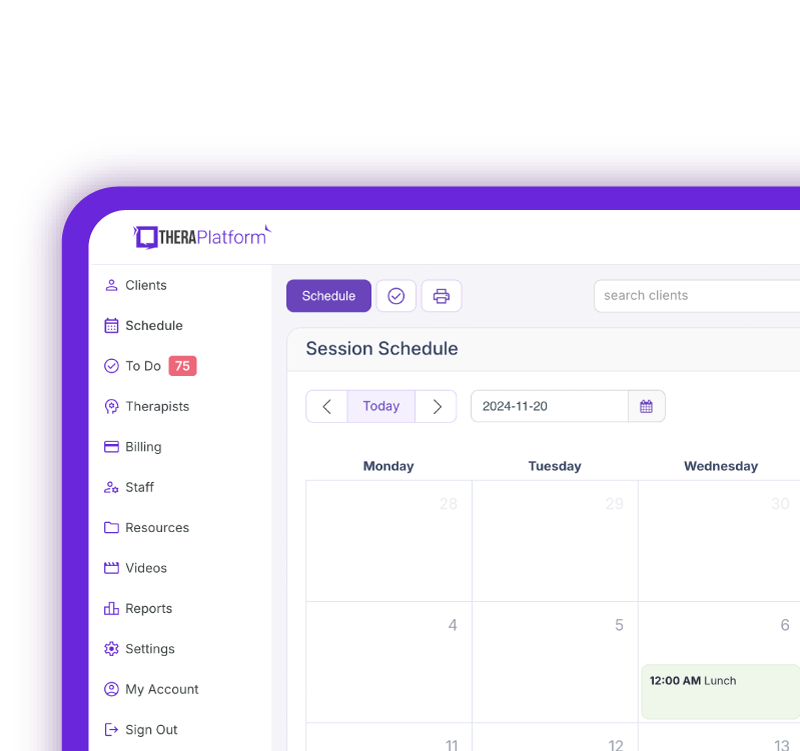
How EHR and practice management software can save you time with insurance billing for therapists
EHRs with integrated billing software and clearing houses, such as TheraPlatform, offer therapists significant advantages in creating an efficient insurance billing process. The key is minimizing the amount of time dedicated to developing, sending, and tracking medical claims through features such as automation and batching.
Watch this video to see how TheraPlatform’s EHR saves time on insurance billing
What are automation and batching?
- Automation refers to setting up software to perform tasks with limited human interaction.
- Batching or performing administrative tasks in blocks of time at once allows you to perform a task from a single entry point with less clicking.
Which billing and medical claim tasks can be automated and batched through billing software?
- Invoices: Create multiple invoices for multiple clients with a click or two of a button or set up auto-invoice creation, and the software will automatically create invoices for you at the preferred time. You can even have the system automatically send invoices to your clients.
- Credit card processing: Charge multiple clients with a click of a button or set up auto credit card billing, and the billing software will automatically charge the card (easier than swiping!)
- Email payment reminders: Never manually send another reminder email for payment again, or skip this altogether by enabling auto credit card charges.
- Automated claim creation and submission: Batch multiple claims with one button click or turn auto claim creation and submission on.
- Live claim validation: The system reviews each claim to catch any human errors before submission, saving you time and reducing rejected claims.
- Automated payment posting: Streamline posting procedures for paid medical claims with ERA. When insurance offers ERA, all their payments will post automatically on TheraPlatform's EHR.
- Tracking: Track payment and profits, including aging invoices, overdue invoices, transactions, billed services, service providers
Utilizing billing software integrated with an EHR and practice management software can make storing and sharing billing and insurance easy and save providers time when it comes to insurance billing for therapists.
Streamline your practice with One EHR
- Scheduling
- Flexible notes
- Template library
- Billing & payments
- Insurance claims
- Client portal
- Telehealth
- E-fax
Resources
TheraPlatform is an all-in-one EHR, practice management, and teletherapy software with AI-powered notes built for therapists to help them save time on admin tasks. It offers a 30-day risk-free trial with no credit card required and supports mental and behavioral health, SLPs, OTs, and PTs in group and solo practices.
More resources
- Therapy resources and worksheets
- Therapy private practice courses
- Ultimate teletherapy ebook
- The Ultimate Insurance Billing Guide for Therapists
- The Ultimate Guide to Starting a Private Therapy Practice
- Insurance billing 101
- Practice management tools
Free video classes
- Free on-demand insurance billing for therapist course
- Free mini video lessons to enhance your private practice
- 9 Admin tasks to automate in your private practice
Note: This blog is educational and does not constitute legal advice. CMS-1500 rules and requirements can change at any time and one should refer to the manual of health insurance on what information is needed under each box.
FAQs about the CMS 1500 form
What is the CMS 1500 form used for?
The CMS 1500 form is the standard insurance claim form therapists use to bill outpatient medical and therapy services to Medicare and most commercial insurers.
What are the most common reasons a CMS 1500 claim is denied?
Claims are commonly denied because of coding errors, missing or incorrect patient or provider information, omitted modifiers, or late submissions.
Is it better to submit CMS 1500 claims electronically or on paper?
When accepted by the payer, electronic submission is generally faster, easier to track, and less prone to data entry errors than paper claims.